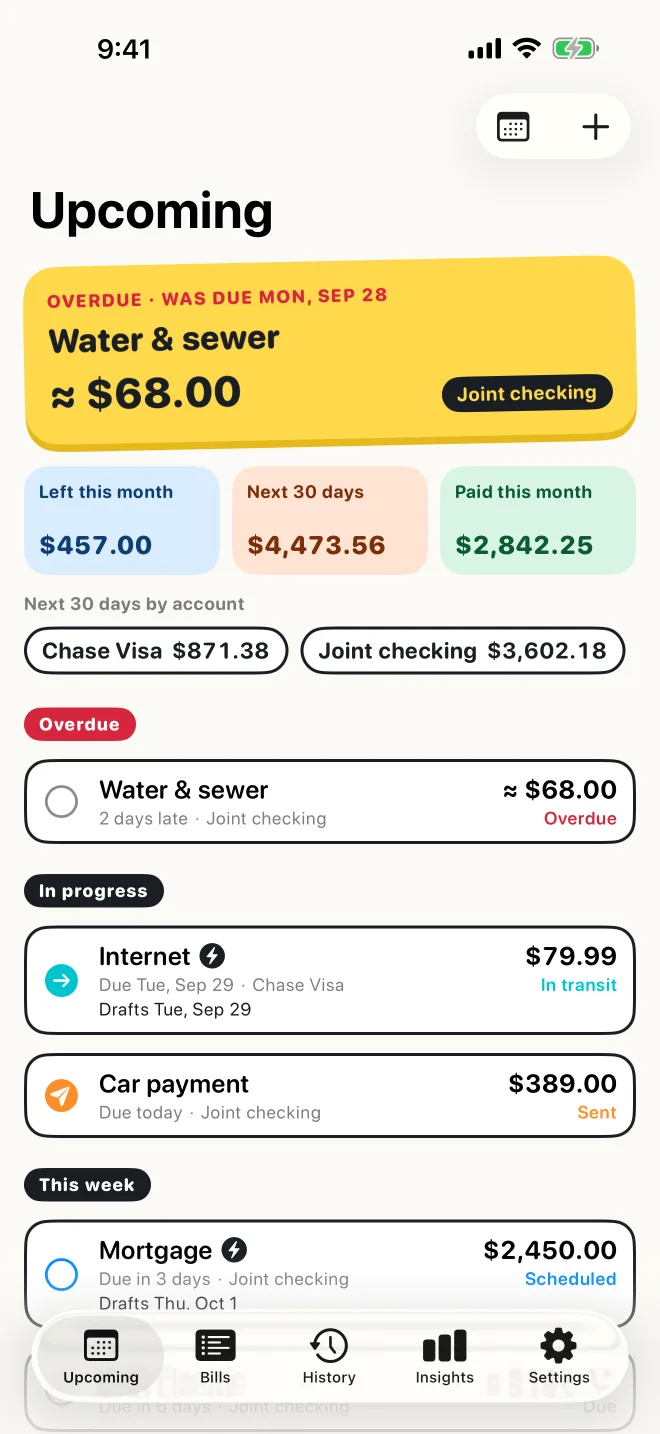
Six answers on one screen
Open the app and you can see where every bill stands in a few seconds.
- What's due, and whenOverdue, this week, later this month, next month.
- Whether it's paidSent, in transit, or paid, and who marked it.
- Autopay, and when it draftsThe day the money actually leaves, not just the due date.
- Which account it comes fromTotals per account, so nothing comes out of the wrong one.
- How often it repeatsWeekly to yearly, with month-end dates handled properly.
- What's still outstandingLeft to pay this month and over the next 30 days.
Upcoming
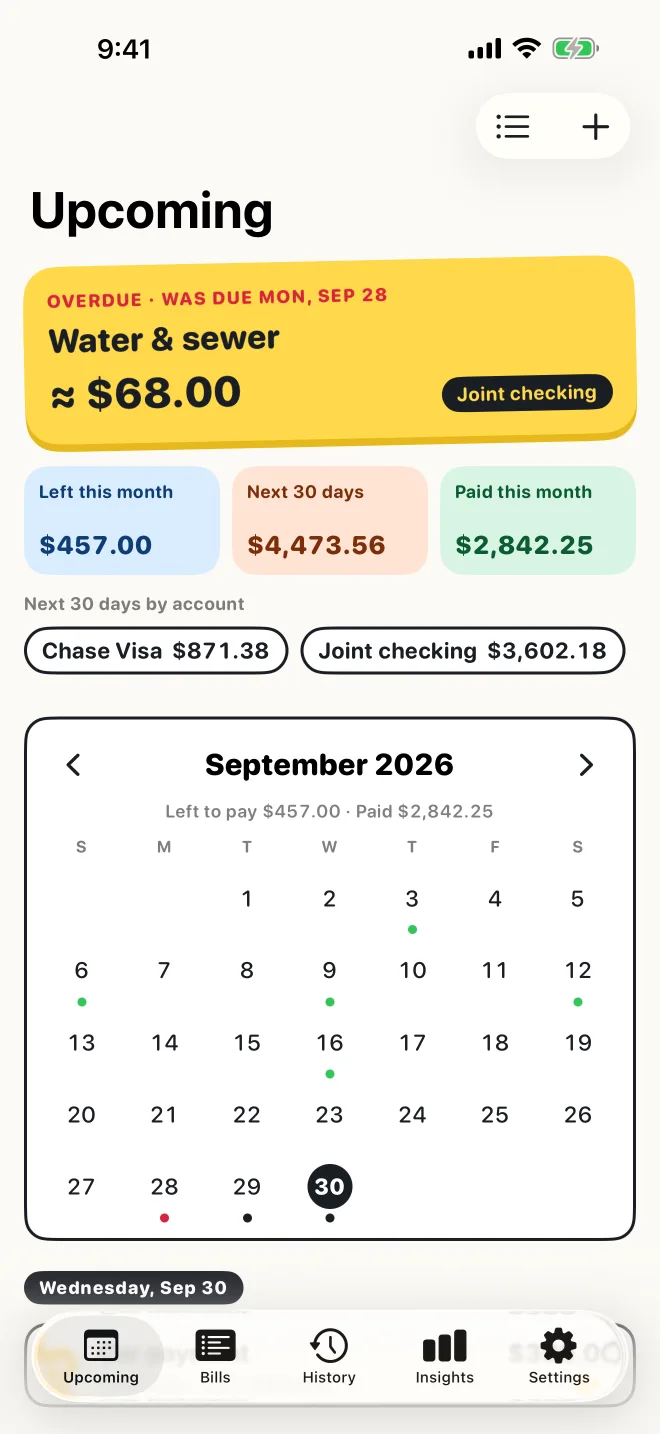
The month at a glance
Switch to the calendar to see every due date as a dot, with what's left to pay and what's already paid for the month. Tap a day to see its bills.
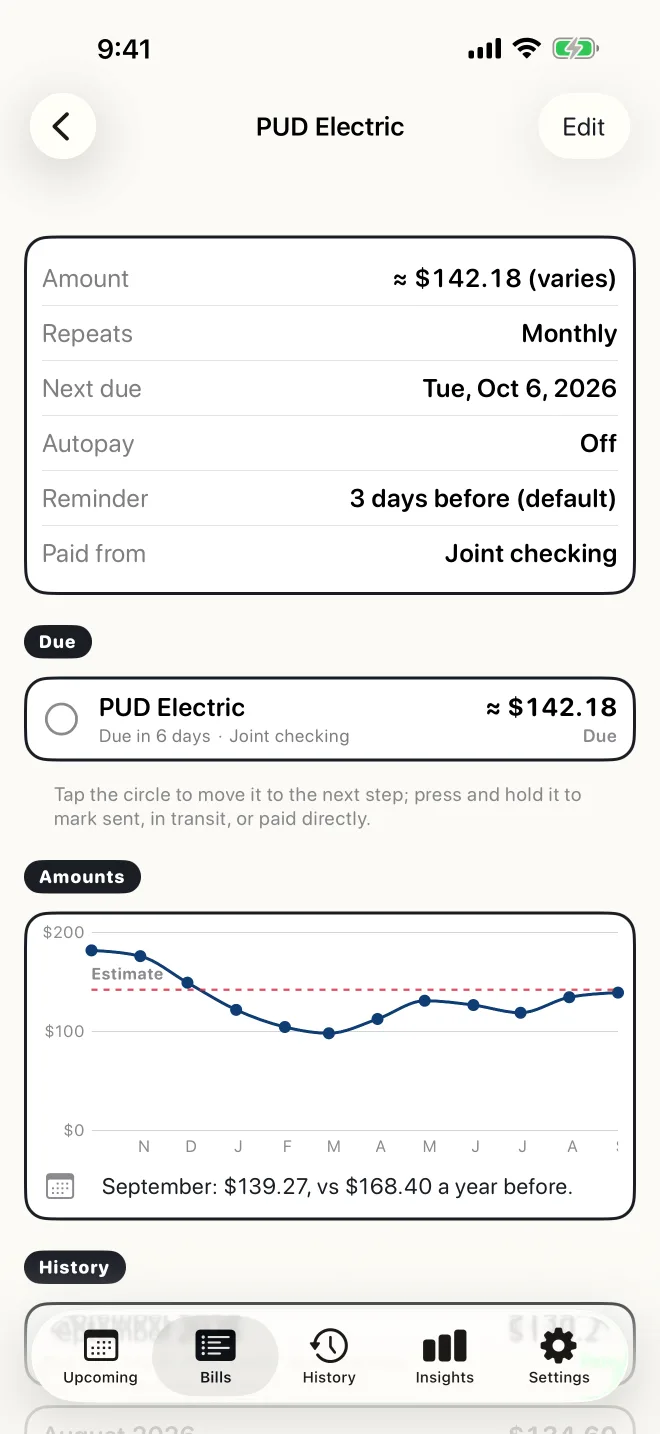
Bill detail
Every bill's history
See the last year of payments for each bill. For bills that change month to month, like electric or water, it compares what you paid with your estimate and with the same month last year.
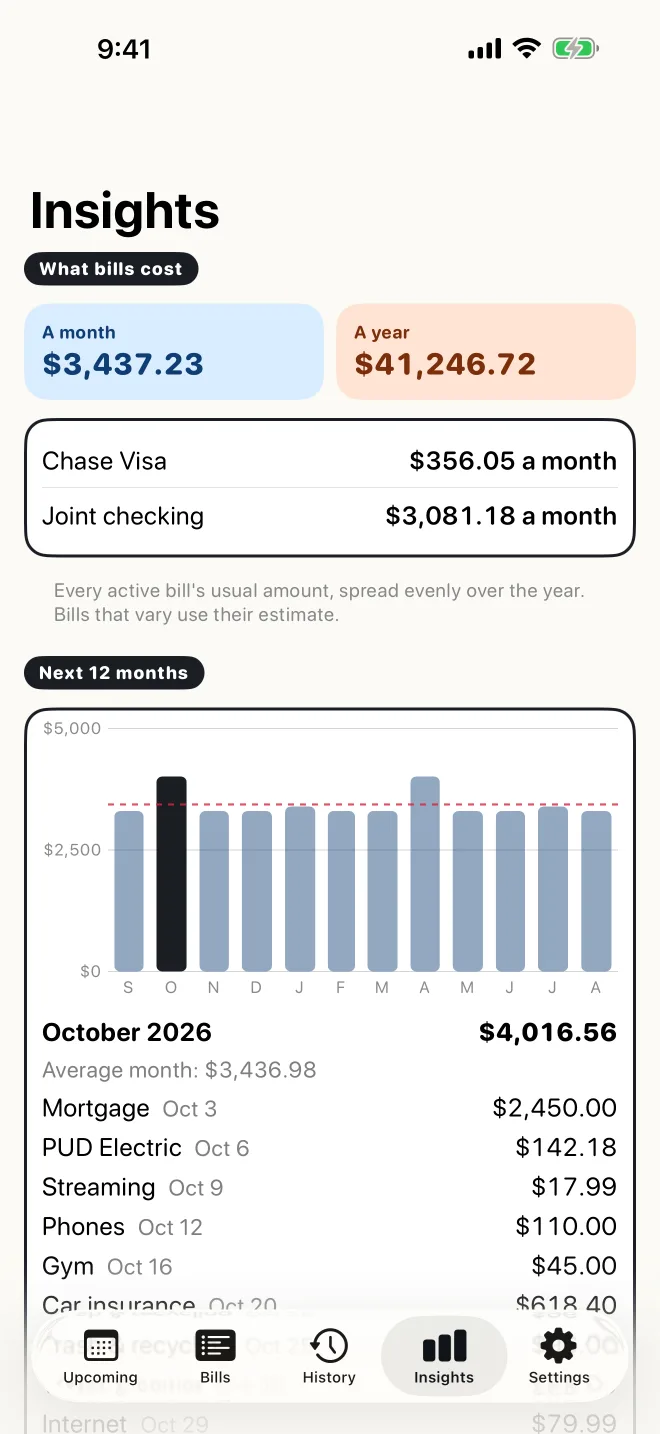
Insights
What your bills cost
What your bills cost a month and a year, a 12-month outlook, and a heads-up when a fixed bill's price changes. It's about bills only. It's not a budget.
Simple on purpose
- Manual on purposeNo bank linking. You enter and confirm each bill yourself, so nothing goes by unnoticed.
- Autopay still gets confirmedAutopay bills stay “Scheduled” until you see the money go out and mark them cleared.
- Solo or sharedUse it on your own, or share with a partner through iCloud so you both see the same bills and who paid what.
- Private by designNo sign-up, ads, analytics or tracking. Your data stays on your iPhone and in your own iCloud.
Try it free for two weeks
Then $2.99 a month or $24.99 a year (US prices). One subscription covers your whole household.
Download on the App Store